Bitácora
Design and development of travel log management website.
Bitácora (travel log in Spanish) is a website that allows users to register the progress of their travels in a private way to compile all their stories in the same space to be able to remember the details and experiences of each one later.
Role
Fullstack Developer | Web Designer | UX Researcher
Used tools
HTML5 | CSS3 | JavaScript | PHP | MySQL | Figma | Miro
Skills
Web Design | Web Development | UX/UI | Design Thinking
Project duration
30 days
Justification
Bitácora has been created as a class final Project to pass the full stack development module, there have been incorporated elements of UX research and UI design to create a complete project. The theme was chosen because of my personal interest on travels, being this one of my favorite activities. I consider that travel not only changes the routine, but leads you to meet other cultures, other places and live unforgettable experiences. I always wanted to have a diary or a travel log where I could write the facts that occurred during the trips to remember every single detail, so, why not do it on a web ambience and extend it to other interested users?

The objective of the project is creating a website where each user has its own private space where will be able to create trips or categories to save stories or entries. On these entries, they might write facts about their personal experiences while travelling to consult and remember those moments later. Each story will have an image the user will assign to it, these, will be automatically grouped and the website will have a photo gallery categorized by trips. Both trips and entrees will be controlled by the CRUD system (create, read, update and delete).
Research & Ideation
To execute the research process, I used Design Thinking agile method generating some “deliverables” to organize ideas and collected information to achieve useful conclusions and possible functionalities to be included on the website. This process has four stages: discovery, definition, ideation, and design.

At discovery stage, there were generated some research questions considering possible actions or functions the user could access to, with these questions, were created a How might we , a deliverable which reframes the questions formulation to determinate how might be executed the functionalities according with available resources, after that, the questions were categorized in three groups: basic functions, complementary functions, and community. Using a Benchmarking, were possible to make a comparison of different travel logs and similar websites identifying their most relevant functionalities and noticing the interfaces of these webs. Finally, were made a netnography, which collects opinions found on the web of people who uses apps or travel logs websites to know their positive and or negative experiences.

At definition stage, was made a viability and usability matrix which allowed to organize in a visual space the possible functionalities according to its utility and usability to establish its importance and the real possibilities to create them taking in account their development difficulties.

At ideation stage, taking as main reference the information collected in the previous stages, were defined the possible functionalities that would be incorporated to the website by using a findings and insights deliverable, after that, were used an in-out scheme who served as a first filter to discard the functionalities that because of technical or management issues couldn’t be incorporated into a first version of the website, finally, using a MoSCoW system, in order of importance were determined those functionalities who must be included, those who should be taken into account, those who could be implemented and which definitely wasn’t going to be used.

At design stage corresponding to the research, were made a Moodboard where were compiled some referents and visual elements as inspiration to recognize the actual design tendences which could be used in different components of the project, subsequently were generated the planning of the structures for data bases and a site map which allowed to set the structure of the website and its contents.

You may access to the Miro board of the project to see in detail the research process by clicking here.
Design
In order to create a consistent and structured website, were made an entire design process using Figma as main tool. Initially, were established a design system, including elements as the grid for the responsive versions of the website, fonts, colors, icons, images and were created the components to use. Then, wireframes were designed to have a preview of the scheme for the website and the location of its elements. Subsequently, were designed a prototype of the website to have an approximated version of the final visual results of Bitácora.

Design System
Colors
#E59500
#37323E
#6D6A75
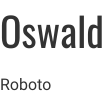
Fonts
If you are interested in the project’s design process, you may click here to access to Figma project and see it in detail.
Development
Considering earlier stages of the project, were made the development process taking the prototype to the web using HTML5, CSS3, JavaScript, PHP code and using databases with MySQL.

The website has a prehome, which corresponds to the index page of the project. In this view, is disposed the general information of the website, showing its main functionalities, it also has the buttons to sign in and login as links to social media. The next page corresponds to the registration and login areas, two different interconnected views which allow the user to create its account or signing into the private area of the website.

Once the session is signed, the user will have a home view where will find a navigation menu located in a sidebar, a header that displays a welcome message and buttons to create trips and histories, there will be a panel where the user will see the last 3 trips and the last 3 histories registered. When the user clicks "new trip" button, will be displayed a form which captures the information about the trip (title, date, image and description), the title of the trip will be used as a category who may contain multiple entries or stories, these cannot be created without being related to a trip, to create them, the user will have to click the “new entry” button which will display a different form to save information the user wants to introduce.

My entries” section will collect and display all the histories the user has created on the web, it includes a select input, which displays the stories of a single selected trip, each story has a link that navigates to the “entries view”, where will be loaded the information contained in the database about the selected story and will be disposed for the user to see it organized. Additionally, this page will have a button to edit the story and another one to temporarily delete it, changing its state and sending it to a trash where the user will be able to recover it.

If the user presses “edit entry” button, will be directed to a form view where the data of the corresponding story will be loaded, the user may modify any data and save or discard the changes.

Each trip and entry will have a Boolean field in the database named “state”, if this field is marked as true, the element will be shown in different views of the website. If it’s false, the story or trip will only be available at the “trash” section where will be displayed a table with all the deleted elements, at this view, the user will have the possibility to recover the element or permanently delete it from the database whit no chance to recover it later.

Finally, will be a section named “gallery” where the user may see a compiling of all the pictures that have been assigned to the stories. Using a select type of input, as same as the entries, the user may select a trip to see only the images of the selected trip.
Learning
Bitácora is the first project end to end that I have developed by myself, starting at the ideation process until the front-end and back-end development, so the knowledge I have achieved has been very significant. Considering that this project was presented as a final class project, there were a few limitations as the impossibility to use any framework to develop the website, therefore, the responsive handling of the website was very enriching. In the Project requirements wasn’t included any research or user experience item, anyway, I wanted to include it to execute the project thoroughly, and I consider this stage was totally worth it because I had more opportunities to establish a clear idea and the functionalities. I think there are still a few elements that might be improved, and I hope in a close future have the available time to do it, and so, eventually launch this project to a real production ambience for real users to enjoy it.